
Push user behavior data from your warehouse into Appcues
Setup
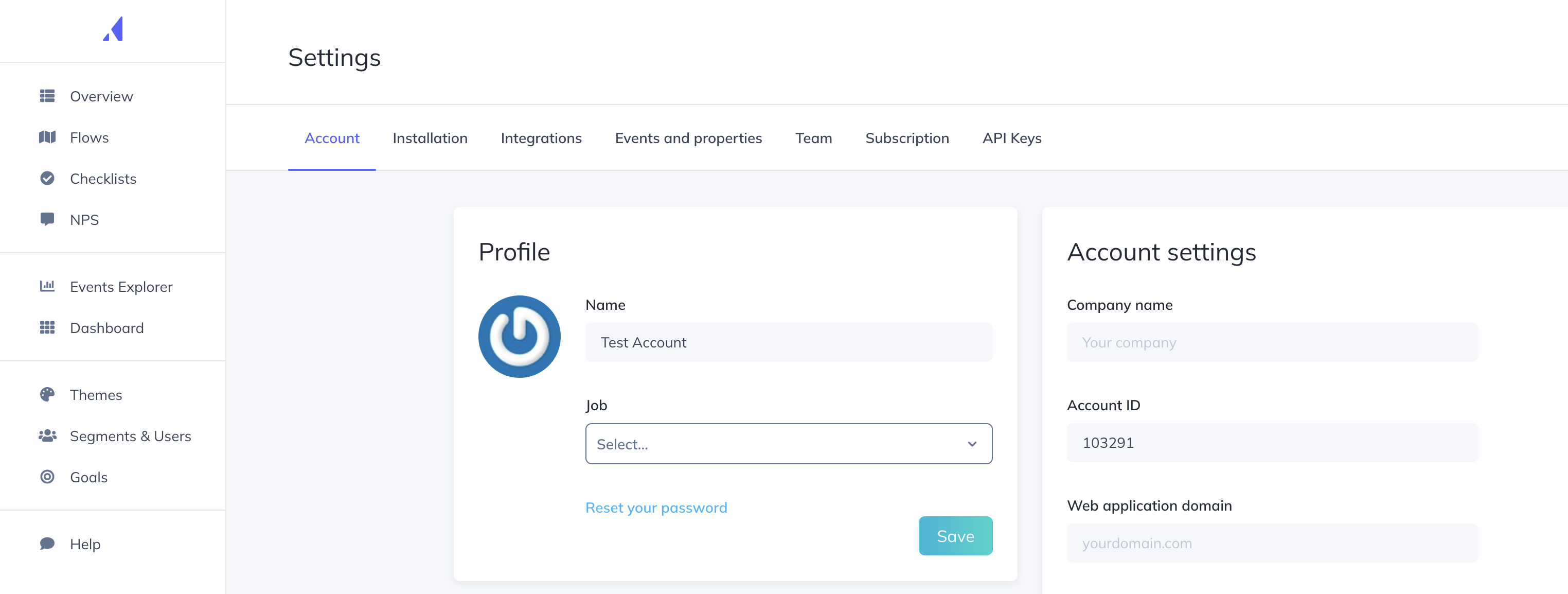
After selecting Appcues from our destinations catalog, you will be required to enter your Appcues Account ID (found in Appcues > Settings > Account) and API Key / API Secret (found in Appcues > Settings > API Keys).
Hightouch supports syncing both Objects and Events to Appcues.
Syncing objects
Hightouch supports syncing to the following Appcues objects:
Users
Sync modes
Hightouch supports the following sync modes:
- Upsert - pushes new
Userobjects to Appcues and updates properties that change in your warehouse.
Record matching
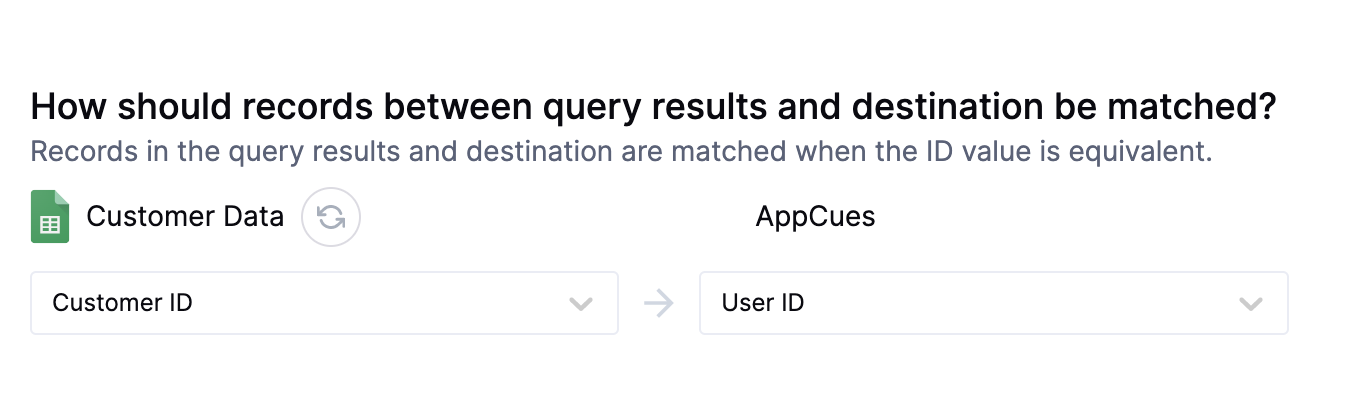
User records can be matched from your source to your Appcues workspace by User ID (user_id), which is a unique identifier
in Appcues for each User.
Field mapping
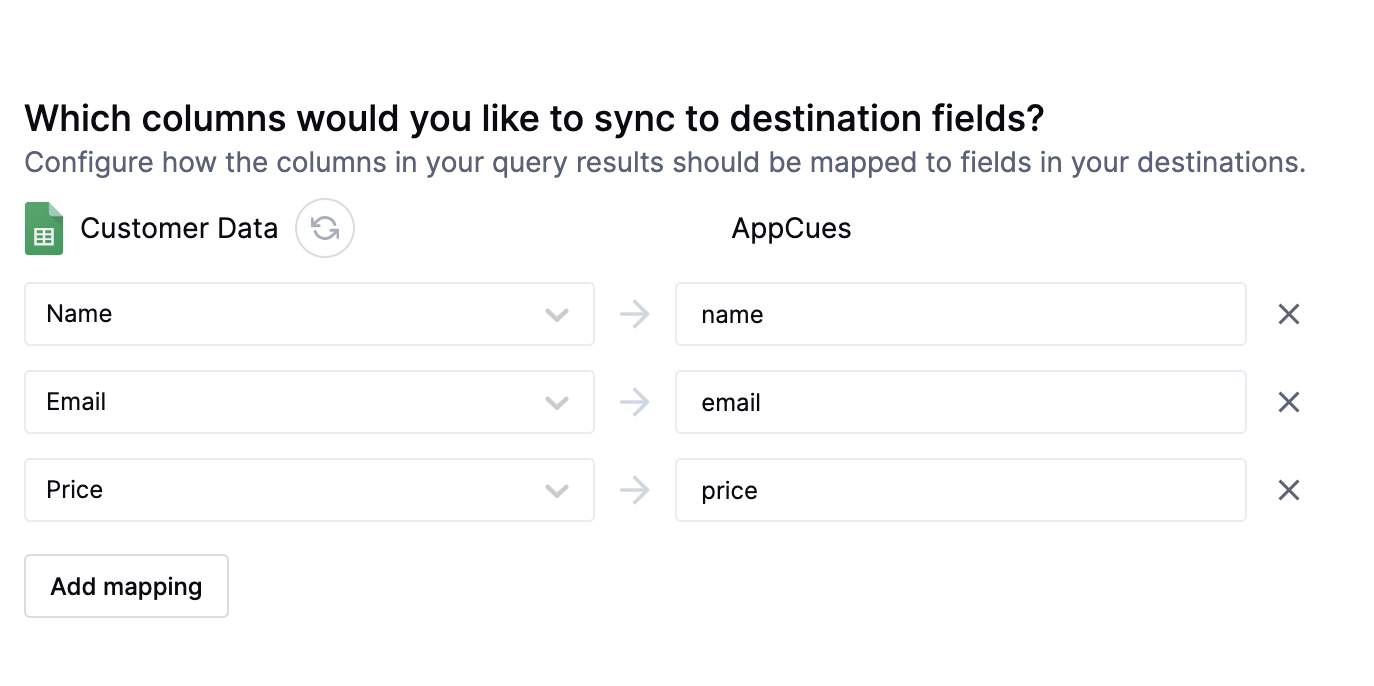
You may also sync columns from your source to Appcues's User properties. Appcues doesn't provide information on properties set for User objects,
so you will need to type the exact name of the property you would like to map to in Appcues. These property names must be spelled correctly and are case-sensitive.
Sending events to Appcues
The Appcues integration also allows you to send events to Appcues with custom attributes.
The three required elements of any Appcues event are the Event Name (which can be a single string used to name all events, or pulled from your warehouse per event), a Timestamp (in ISO 1806 format, or a Unix timestamp in milliseconds), and a User ID (the unique ID of the user corresponding to the event).
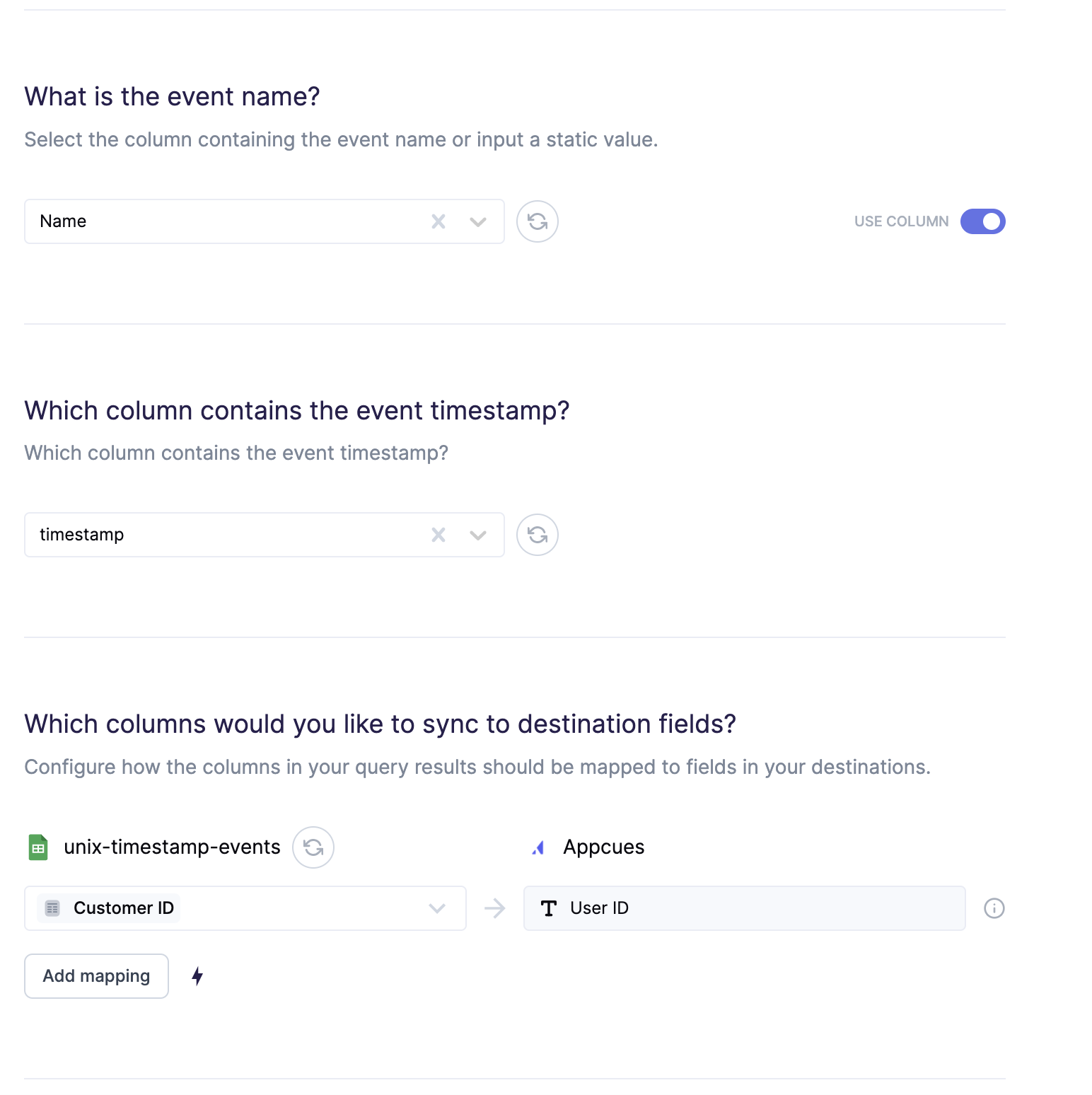
You can also map properties that will become event attributes in Appcues.
Tips and troubleshooting
Common errors
To date, our customers haven't experienced any errors while using this destination. If you run into any issues, please don't hesitate to . We're here to help.
Live debugger
Hightouch provides complete visibility into the API calls made during each of your sync runs. We recommend reading our article on debugging tips and tricks to learn more.
Sync alerts
Hightouch can alert you of sync issues via Slack, PagerDuty, SMS, or email. For details, please visit our article on alerting.