
Transform your selling experience with Freshsales
Setup
In order for Hightouch to sync data to Freshsales, you need to give Hightouch an API key and subdomain so that Hightouch can update your records.
You can retrieve your API key by navigating to Settings > API Settings:
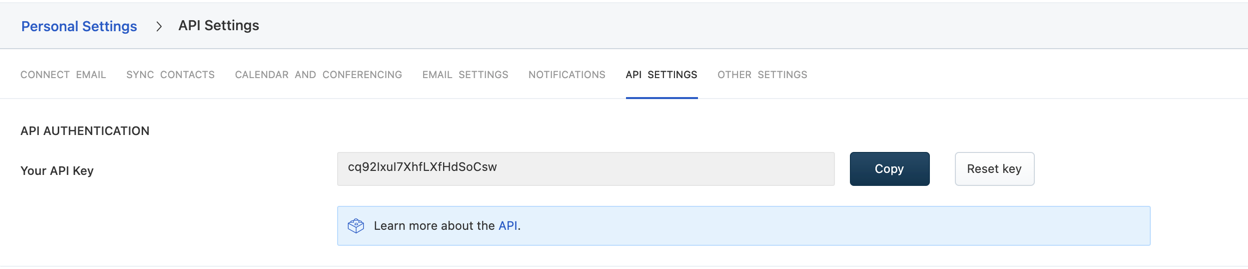
For subdomain, check the domain that you are logged in, it should have the pattern of https://yoursubdomain.myfreshworks.com. The subdomain used to configure the destination is yoursubdomain.
Syncing
Hightouch supports syncing the following Freshsales objects:
ContactsAccounts
Sync modes
- Upsert - pushes new objects to Freshsales and updates fields that change in your warehouse.
- Update: only updates particular fields on existing objects in Freshsales. It does not add new objects.
Record matching
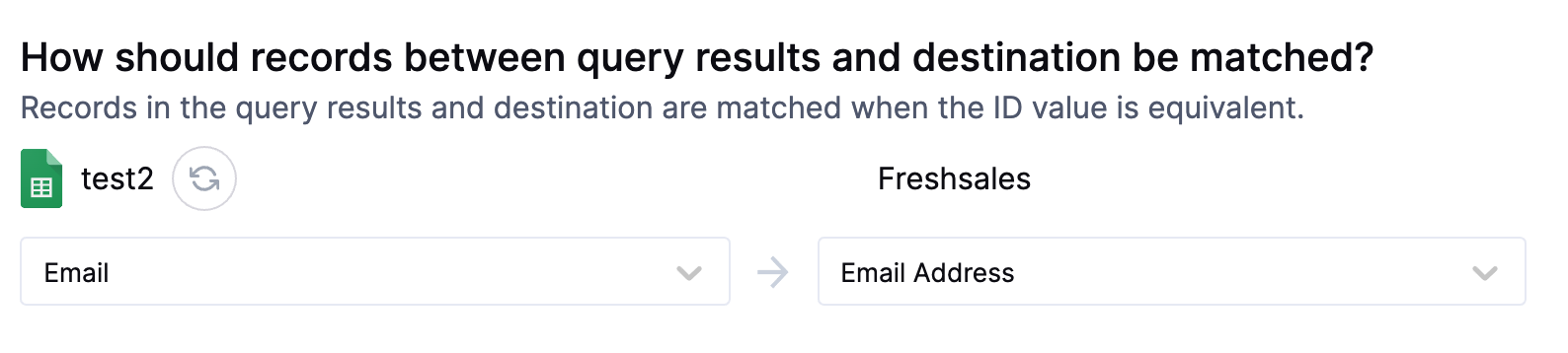
Records can be matched from your source to your Freshsales's account's Name or contact's email.
Field mapping
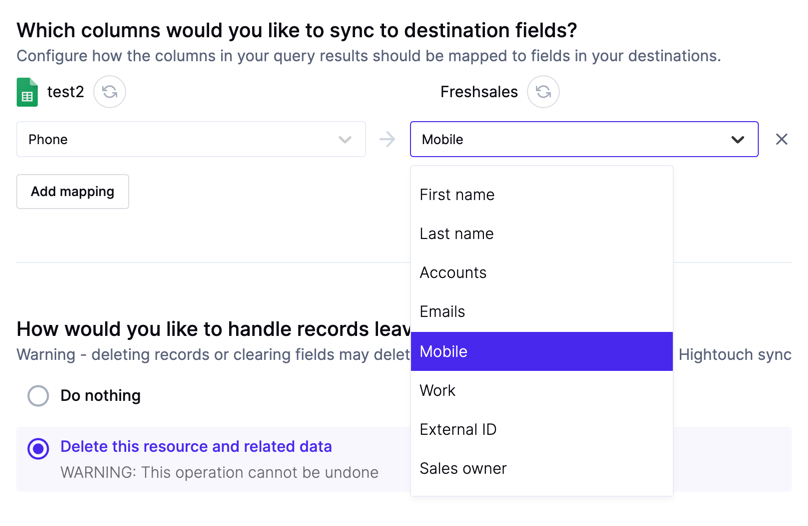
You can sync columns from your source to Freshsales's Accounts or Contacts properties.
Tips and troubleshooting
Common errors
To date, our customers haven't experienced any errors while using this destination. If you run into any issues, please don't hesitate to . We're here to help.
Live debugger
Hightouch provides complete visibility into the API calls made during each of your sync runs. We recommend reading our article on debugging tips and tricks to learn more.
Sync alerts
Hightouch can alert you of sync issues via Slack, PagerDuty, SMS, or email. For details, please visit our article on alerting.