
Improve user experiences with rich data by syncing warehouse data to Qualtrics
Overview
This integration allows you to import contacts to Qualtrics XM Directory using import automations. Hightouch posts CSV files to the Qualtrics file service endpoint for your automation. After the sync, Qualtrics will asynchronously process the files.
Setup
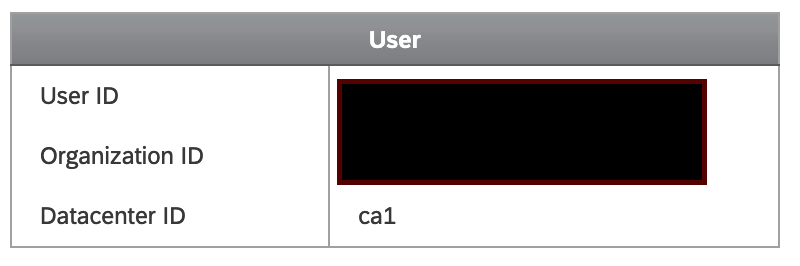
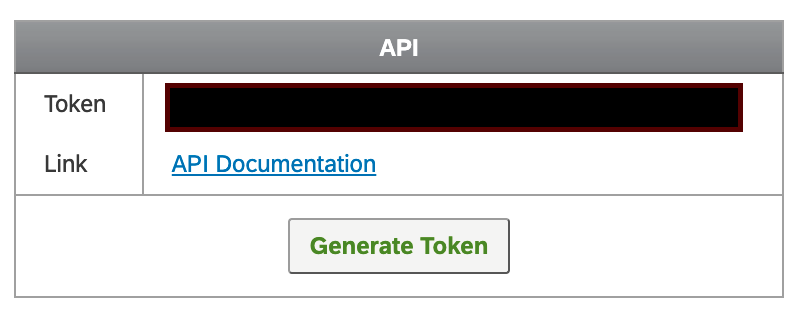
After selecting Qualtrics from our Destinations catalog, you will be asked to provide your Qualtrics data center ID and API token.
Both of these can be found in the Qualtrics console under Account Settings >
Qualtrics IDs.
Sending contacts
Hightouch supports syncing contacts to Qualtrics XM Directory. Rows will be synced when they are added or changed. Rows that are removed from your model will be ignored.
Hightouch sends your contacts to Qualtrics in batches of 10,000 rows. Each batch is posted with a unique filename, based on the current time.
Sync status
Because Qualtrics asynchronously processes the files on the automation's schedule, Hightouch only shows whether the files were posted to Qualtrics successfully. Hightouch doesn't wait for Qualtrics to process the files.
We recommend that you enable email notifications in Qualtrics so that you know when Qualtrics is done processing the files.
Tips and troubleshooting
Common errors
To date, our customers haven't experienced any errors while using this destination. If you run into any issues, please don't hesitate to . We're here to help.
Live debugger
Hightouch provides complete visibility into the API calls made during each of your sync runs. We recommend reading our article on debugging tips and tricks to learn more.
Sync alerts
Hightouch can alert you of sync issues via Slack, PagerDuty, SMS, or email. For details, please visit our article on alerting.