| Audience | Data teams |
| Prerequisites |
|
Connect your data warehouse, configure sync infrastructure, and prepare datasets so marketers can build and activate audiences directly in Hightouch.
New to Hightouch's data model? The Data activation concepts page explains sources, models, syncs, destinations, and Change Data Capture (CDC). This article focuses on the hands-on setup work for data teams.
Setup steps
1. Connect your data
Connect your warehouse as the source of truth for all activation.
-
Add your primary data source (e.g., Snowflake, Databricks, BigQuery, Redshift) from Integrations, then Sources.
-
During source setup, select the Lightning sync engine (recommended). Lightning computes change data capture directly in your warehouse for faster, more reliable syncs. It is required for Journeys, Sampling, Warehouse Sync Logs, Identity Resolution, and other advanced features.
-
(Optional) Connect additional data sources such as databases, APIs, or SaaS tools if they’re part of your activation strategy.
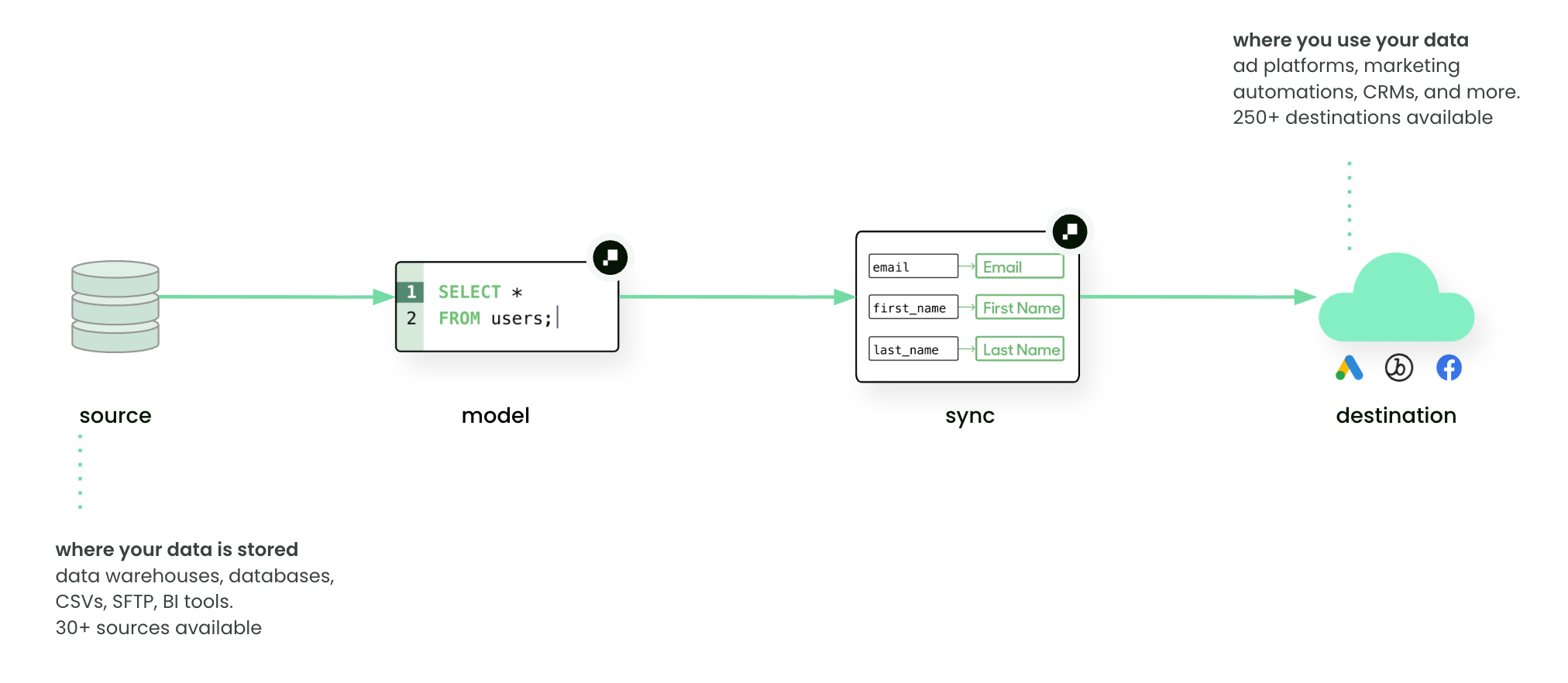
Hightouch syncs modeled data from your warehouse to destinations through sources, models, and syncs.
2. Configure sync infrastructure
Set up the remaining systems that power reliable syncs between your warehouse and marketing tools.
-
Warehouse Sync Logs
Write sync metadata (row counts, errors, and rejected records) back to your warehouse for monitoring and visibility. -
Destinations
Connect downstream tools (e.g., Braze, Salesforce, ad platforms) where marketers will activate audiences and campaigns. Either data teams or platform admins can own this step.
3. Define your schema
Define the data structure that marketers will use in Customer Studio to build audiences and campaigns. This is typically a one-time setup owned by data teams, though you may revisit it as new data becomes available.
- Parent model: The main dataset (for example, your
userstable) - Related models: Supporting entities such as accounts, subscriptions, or products
- Events: Timestamped actions (purchases, logins, cancellations)
- Relationships: Connections between models via foreign keys
- Traits: Computed values like aggregations, most-recent values, or custom formulas that marketers can use as filters. If a marketer can't find the right attribute, it usually means a trait or schema change is needed here.
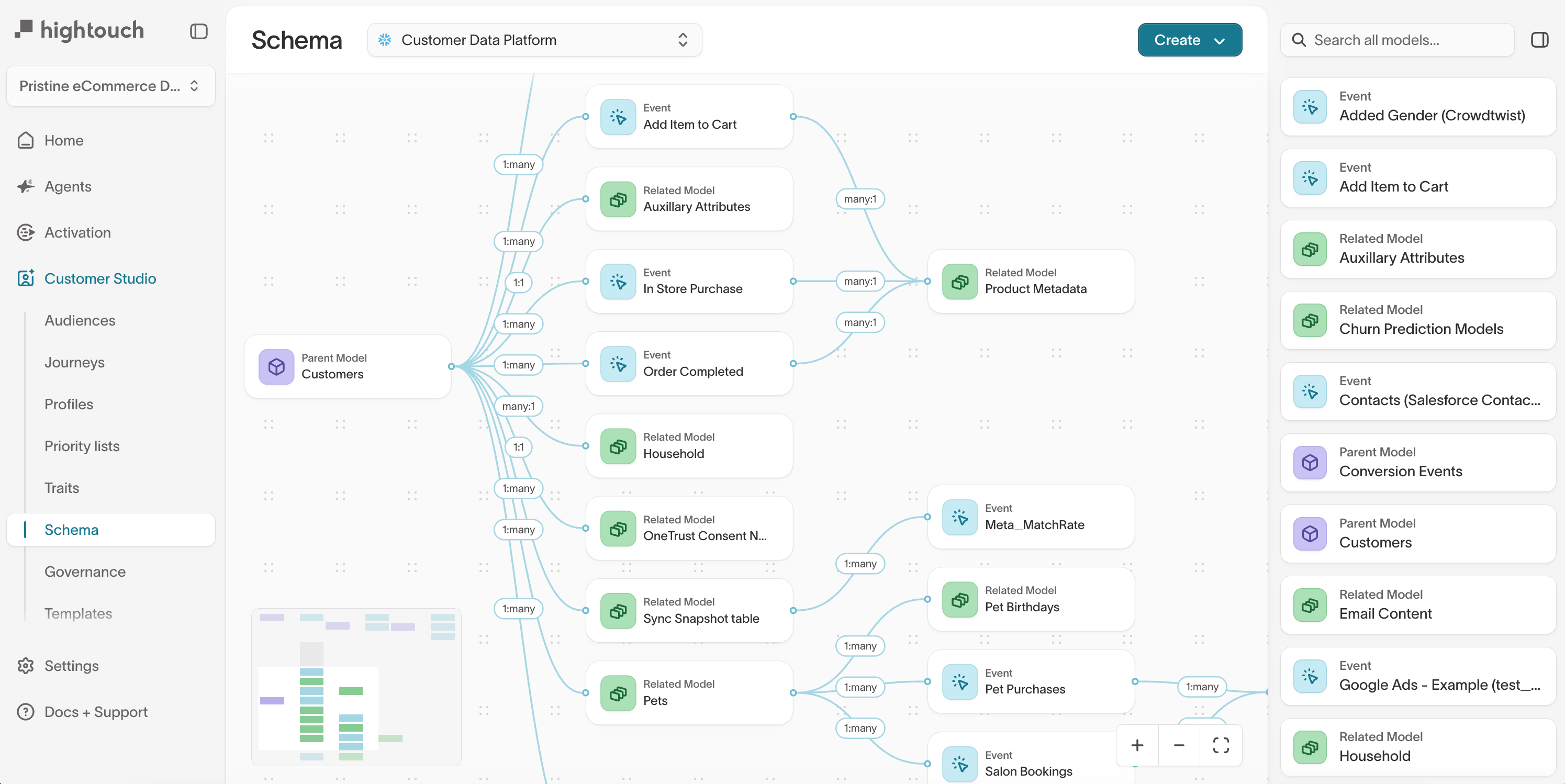
Data teams define parent, related, and event models, including traits. Marketers use these attributes in Customer Studio to build audiences.
4. Security and change management
Security and workspace-level governance are usually managed by platform admins.
As a data team, coordinate with IT to ensure:
- Environments are available for staging models and syncs
- Audit logs and approval flows are enabled per compliance policies
Workspace setup (Platform admins)
5. Set up additional products
If your team uses other Hightouch products, each has its own setup guide.
| Product | Setup docs |
|---|---|
| Identity Resolution | Identity Resolution overview |
| Events | Events overview |
| Match Booster | Match Booster overview |
| Real-Time Personalization | Set up realtime audiences |
For an overview of how these products connect, see the Composable CDP overview.
Readiness checklist
Before marketers can build audiences and activate data, confirm the following is in place.
- Primary data source connected with the Lightning sync engine (recommended)
- At least one destination connected (either data team or platform admin)
- Warehouse Sync Logs enabled for monitoring
- Schema defined with parent model, related models, events, and relationships
- Traits created for any computed values marketers will need as filters
- Marketers can see the right data in the audience builder (check with your platform admin if Spaces or subsets are in use)