Overview
Data activation is the process of moving trusted warehouse data into the tools where teams take action — ad platforms, CRMs, marketing automation, support desks, and more. Hightouch calls this process Reverse ETL.
This page covers the building blocks that make Reverse ETL work: sources, models, schema, syncs, destinations, and change data capture. It is written for data teams and engineers who set up these components, but it also helps marketers understand the concepts they encounter in Customer Studio.
Explore the interactive architecture diagram
See how data flows and where Reverse ETL fits in your stack.
Sources
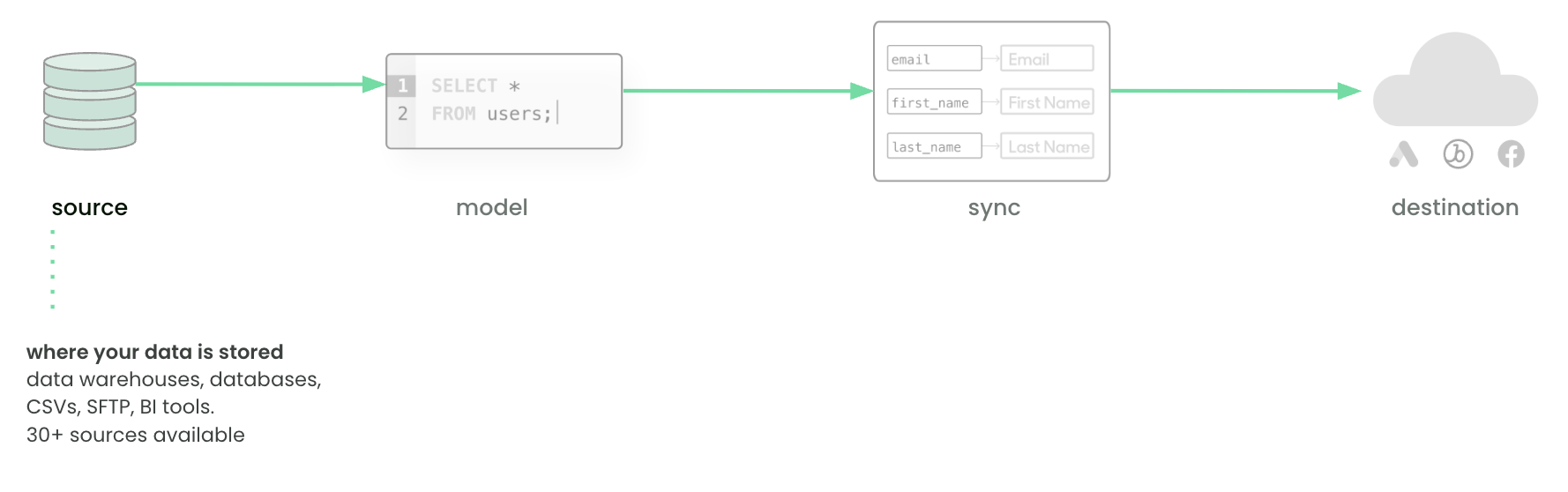
A source is any system where your data resides. Common examples include Snowflake, BigQuery, Databricks, and PostgreSQL. Sources can also be files, APIs, or BI tools. In practice, this is where customer and business data lives — purchase history, campaign activity, product usage, and so on.
See Sources overview for setup instructions and a full list of supported connectors.
Models
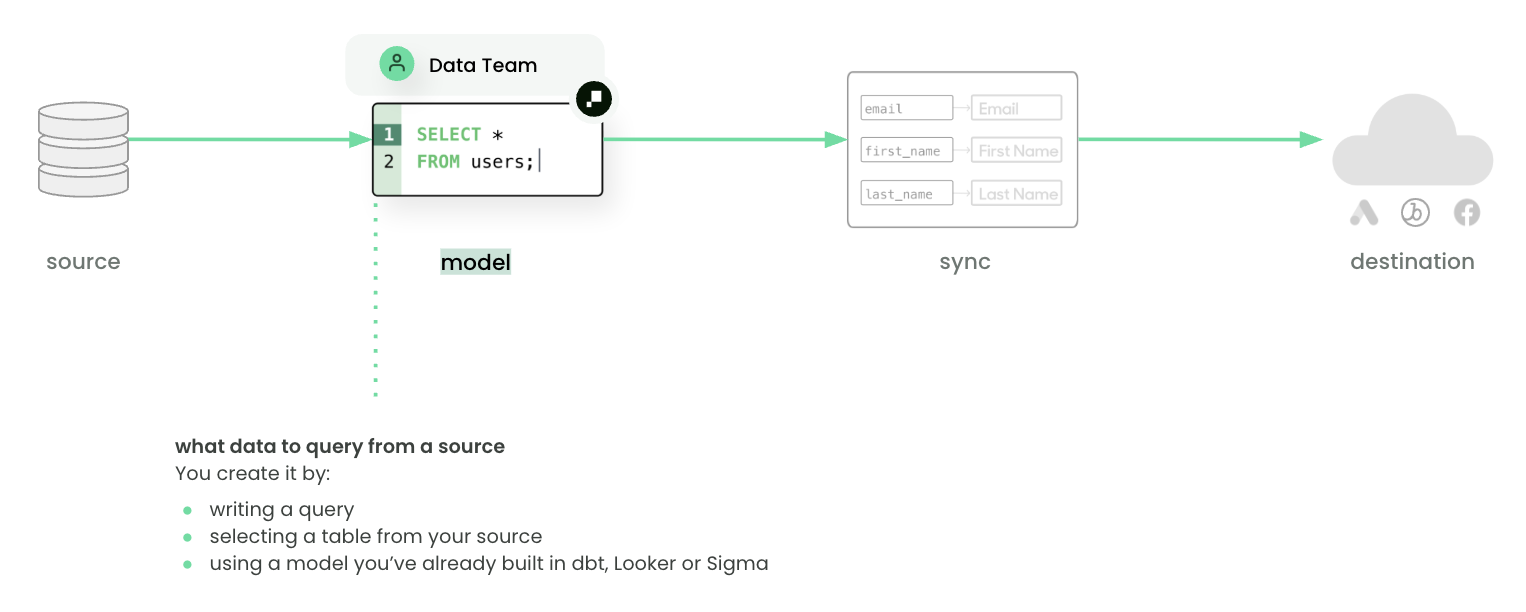
A model defines what data to query from a source. Models can represent users, events, products, or any other entity. Data teams typically create models by writing SQL in the editor, selecting from tables or views, or re-using dbt models and BI queries from Looker or Sigma.
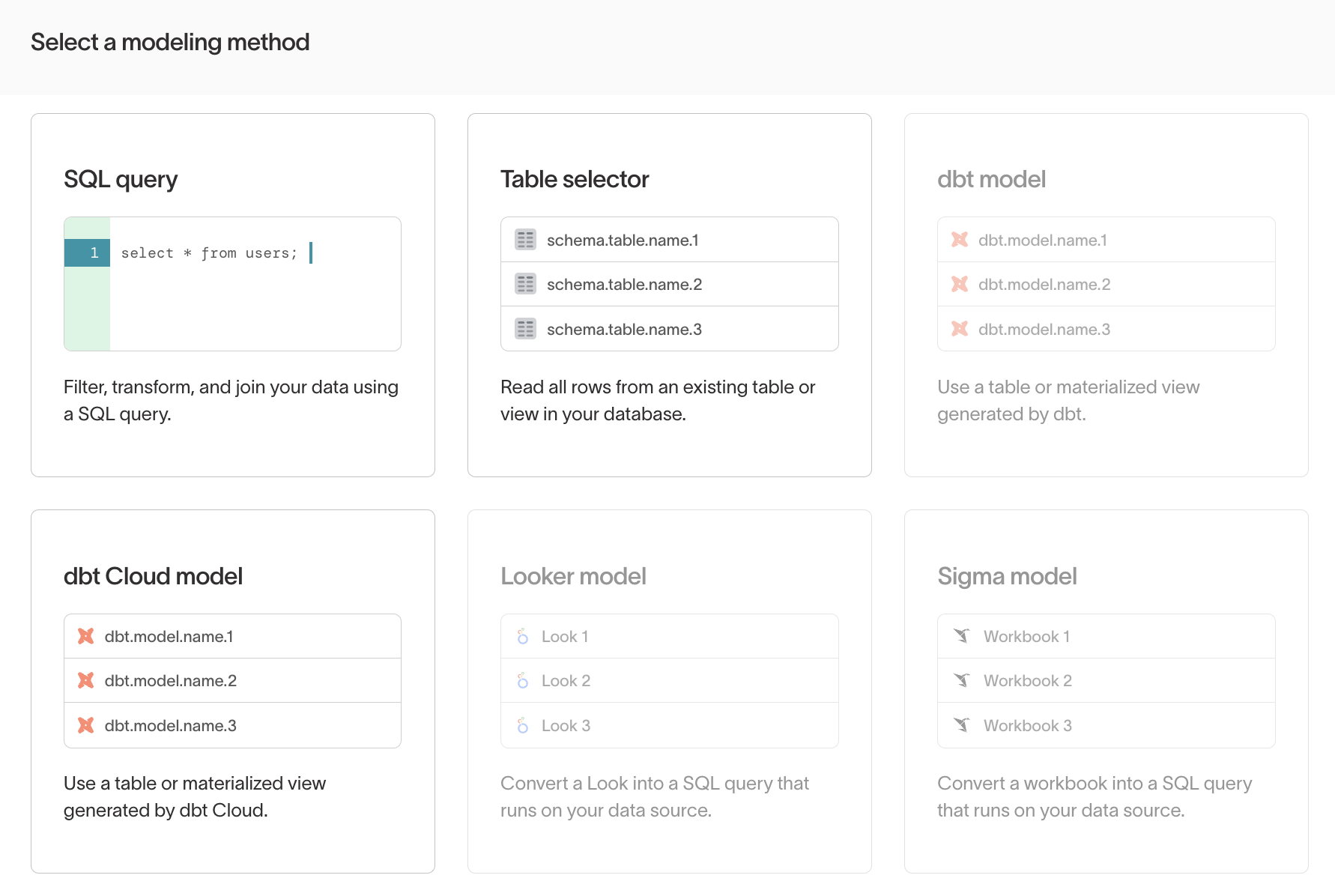
Every model requires a unique primary key to identify each row and track changes between syncs. In practice, a model is a reusable dataset — “all active customers,” “abandoned carts,” or “email subscribers” — that can power multiple syncs and audiences.
See Models overview for details on each modeling method.
Schema
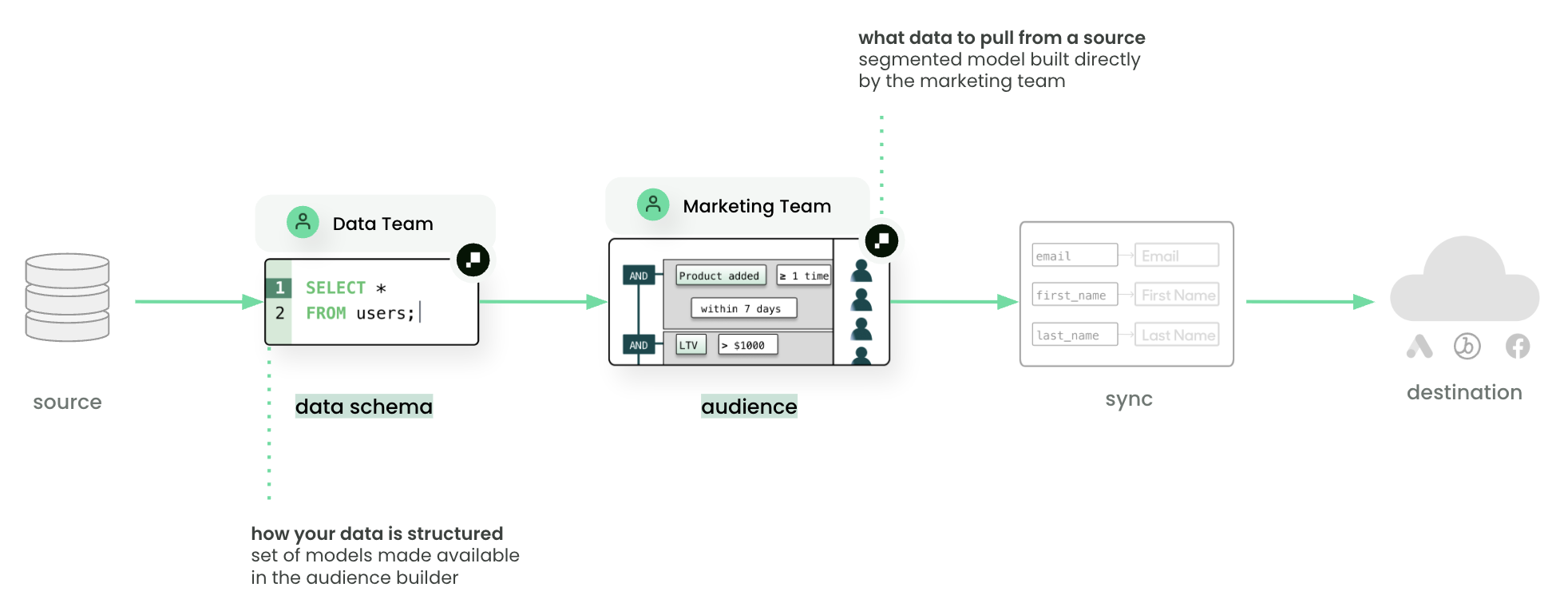
A schema is a one-time configuration that connects your models to Customer Studio. Data teams define a parent model (typically users), then add related models, events, and relationships. Once the schema is configured, marketers can build audiences and journeys in a no-code UI. Audiences cannot be created until this step is complete.
In Customer Studio, the schema determines which fields, events, and relationships appear in the audience builder — it is how marketers access model data without writing SQL.
See Customer Studio schema setup for configuration steps.
Syncs
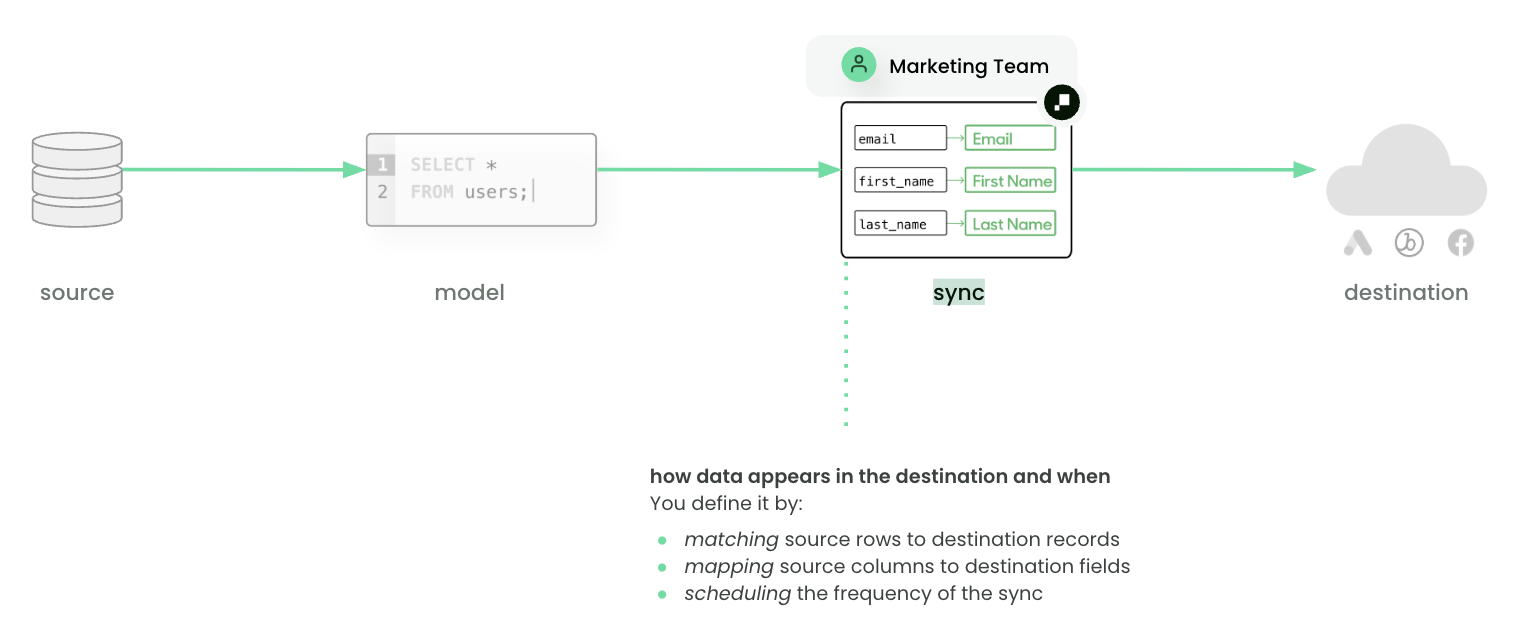
A sync defines how data appears in the destination and when. Syncs specify:
- Type: object, event, audience, etc.
- Mode: insert, update, upsert, or archive
- Mapping: how source columns map to destination fields
- Schedule: interval, cron, or triggered by tools like dbt Cloud or Airflow
Multiple syncs can be created from the same model to support different use cases. In practice, a sync is how a dataset shows up in tools like Braze, Salesforce, or Meta Ads so teams can act on it.
See Syncs overview for configuration details and scheduling options.
Destinations
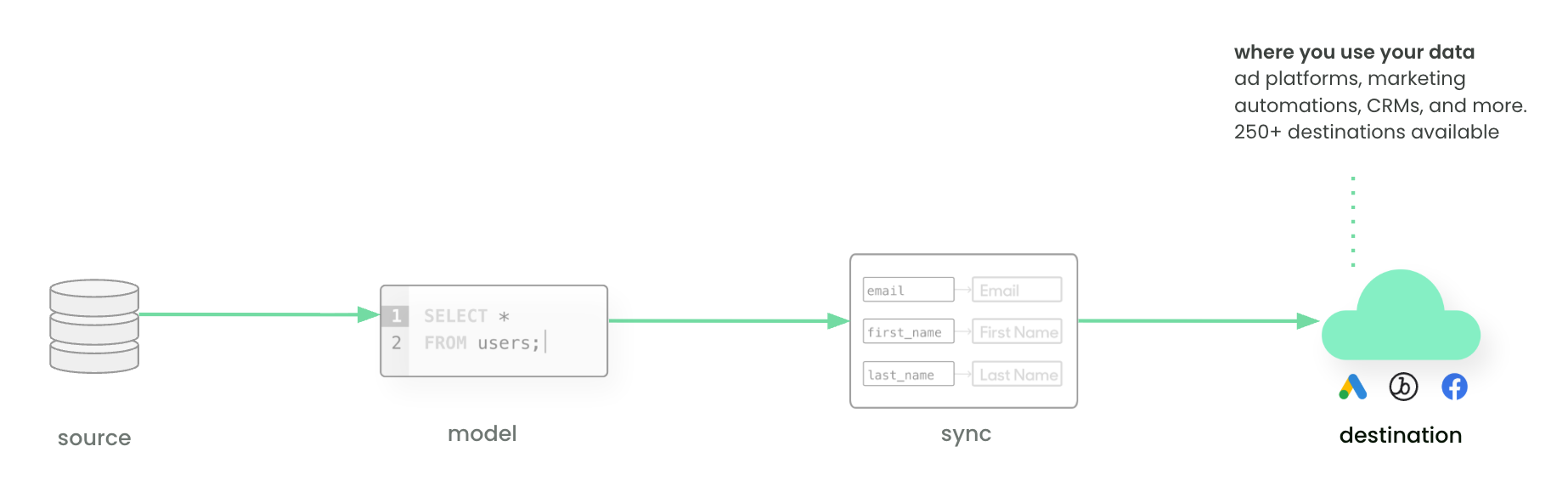
A destination is any system where data is consumed — CRMs, ad platforms, support tools, analytics, or custom APIs. These are the tools where teams build campaigns, measure results, and engage with customers.
See Destinations overview for a full list of supported destinations.
Change data capture (CDC)
Hightouch optimizes syncs with change data capture (CDC). Instead of sending the full query result on every run, CDC compares the current results to the previous run and only sends new, changed, and removed rows. This keeps downstream tools current without redundant updates.
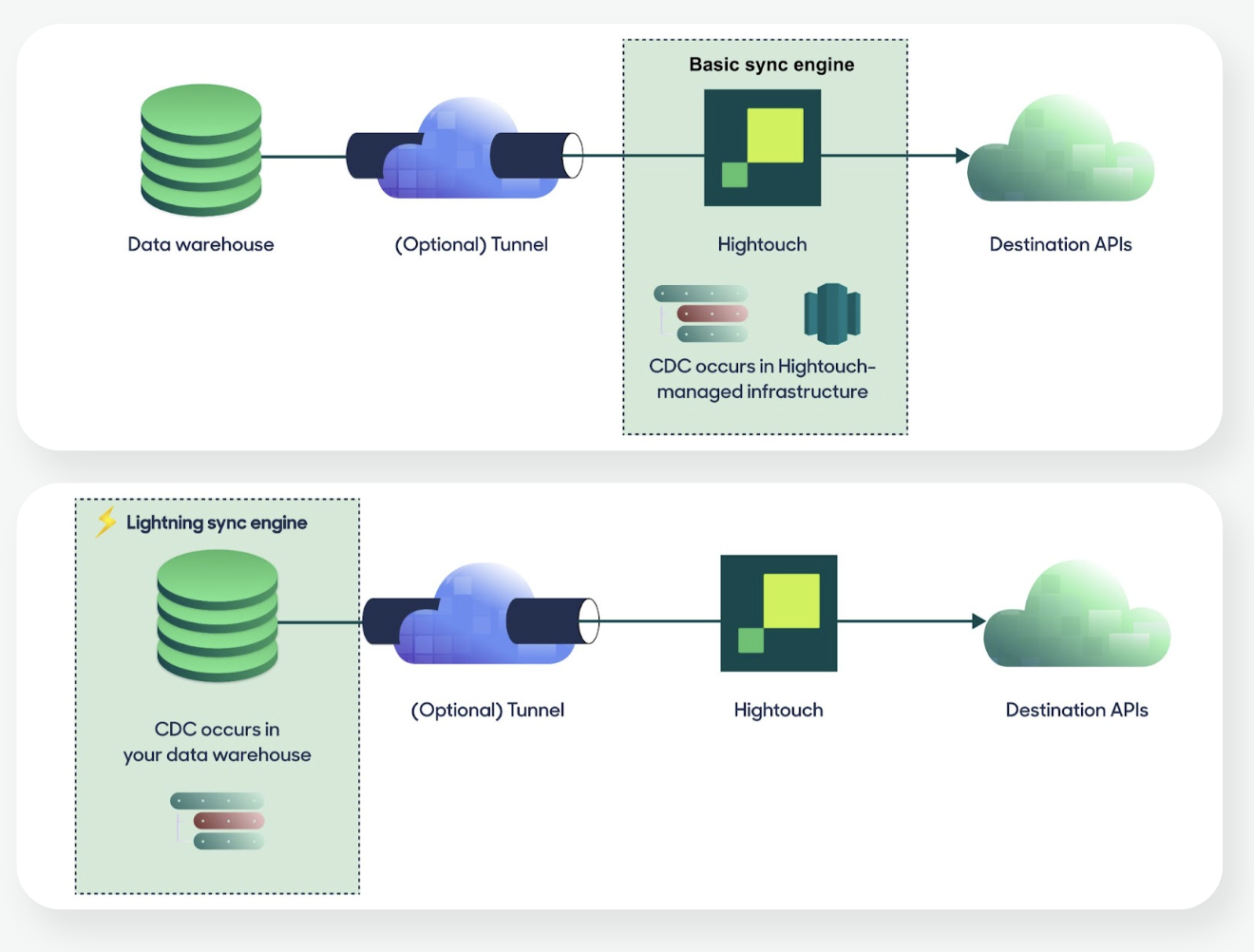
By default, CDC runs on Hightouch-managed infrastructure. For higher performance at scale, you can enable the Lightning sync engine to compute CDC directly in the warehouse.
Hightouch recommends enabling the Lightning sync engine during source setup. Beyond performance, it’s required for features like Journeys, Sampling, Warehouse Sync Logs, Audience Snapshots, and Identity Resolution. See the full list of requirements.
See Change data capture overview for details on how diffing works and how to choose a sync engine.
How it fits together
- Connect a source (e.g., Snowflake)
- Define models that query the data you need (e.g., “active customers in the last 30 days”)
- Configure the schema so marketers can access model data in Customer Studio
- Set up destinations and syncs to deliver data to downstream tools
From there, marketers build audiences, orchestrate journeys, run experiments, and measure results — all from warehouse data, without writing SQL.
These foundations power two broader Hightouch products. The Composable CDP provides modular tools for building audiences, orchestrating journeys, and measuring results. AI Decisioning adds AI agents that optimize message, channel, and timing per user; it builds on these primitives but requires additional setup.
Next steps
- Set up your first source
- Create a model
- Configure a sync
- Explore destinations
- Learn how these concepts apply in the Composable CDP and AI Decisioning